Home Alone (Anomaly) PC Controls
Keyboard and mouse bindings for Roblox on PC — move, interact, CCTV, and porch light.
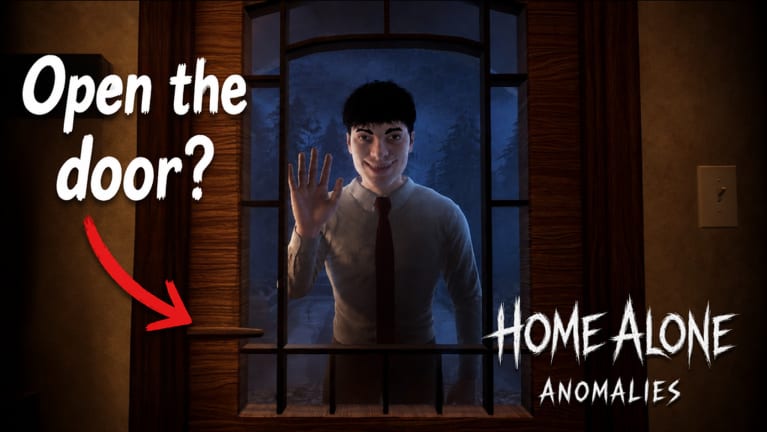
Home Alone (Anomaly) on Roblox PC uses standard keyboard and mouse controls with click-to-interact emphasis. Fast nights depend on moving between laptop CCTV, chore board, and porch light without fumbling binds. This page lists default-style PC inputs and habit tips tied to how to play mechanics.
Console players should read mobile and console controls for Update 2 gamepad support.
Movement
| Action | Default PC |
|---|---|
| Move forward | W |
| Move backward | S |
| Strafe left | A |
| Strafe right | D |
| Jump | Space |
| Shift lock / camera | Shift or right-click drag |
Smooth movement matters when sprinting kitchen→laptop between knocks.
Interaction
| Action | Default PC |
|---|---|
| Interact / use | Left click on prompt or E (Roblox default) |
| Cancel / menu | Esc |
Interact targets: chore board objects, porch light switch (right of door), front door, laptop CCTV.
Mis-clicking interact near door risks wrong admit — stand clear before light toggle (Sanity guide).
CCTV laptop (mouse)
- Left click feed tabs or room icons on laptop UI.
- Toggle night vision on supported feeds via UI button — critical for camera night vision tells.
- Scroll if UI supports multi-page feeds (verify in-game after patches).
Drill: cycle door → kitchen → bath → NV door under 10 seconds.
Camera look
Mouse movement aims camera for peephole glances and room scanning. Higher sensitivity helps quick door peeks; lower sensitivity helps precise laptop clicking. Adjust in Roblox settings, not in-game menu.
Audio
Use headphones for Classmate voice flips, Party Girl echoes, Wifi Kid shutter glitches — voice outside.
PC-specific tips
- Second monitor: open anomaly identifier reference.
- Alt-tab discipline: knock audio still plays — return fast.
- FPS cap: stable framerate reduces missed interact prompts during chores.
Key paths to muscle-memory
- Spawn → porch light touch → laptop open.
- Laptop → kitchen oven glance → back.
- Laptop → bath cam → back.
- Knock → NV door toggle → porch switch.
Practice on house map route.
Default Roblox PC binds reference
Home Alone inherits Roblox client defaults unless you changed them globally:
| Action | Key |
|---|---|
| Forward / back / strafe | W A S D |
| Jump | Space |
| Interact | E or left click on prompt |
| Menu | Esc |
| Camera | Mouse move |
There is no in-game rebind menu for Home Alone specifically. Adjust mouse sensitivity in Roblox settings if laptop UI clicks feel imprecise during night vision toggles.
CCTV mouse workflow detail
Experienced PC players use a three-click pattern per knock:
- Click door feed tab.
- Click night vision button if visitor is human-shaped.
- Click interior job feed (kitchen for Firefighter, bath for Plumber) when story matches.
Keep cursor near feed tabs — long mouse travel from screen edge adds panic time. Pair with identify visitors decision tree so clicks have purpose, not random cam hopping.
PC movement between chore zones
Sprint paths from house map:
- Laptop to kitchen: under 4 seconds when unobstructed.
- Kitchen to bath: pass hallway without stopping unless knock audio starts.
- Bath to porch light: cut through living area; do not detour to backyard unless Dog Owner knock.
These routes stack with complete chores USD 180 efficiency goals.
Common PC mistakes
- Clicking door open instead of porch light switch beside it.
- Forgetting to release right-click drag (shift lock) before laptop interact.
- Alt-tabbing during knock audio and missing Gym Bro voice pitch tell.
- Leaving night vision on during City Maintenance sink color check — NV washes brown water tell.
PC advantage without scripts
Mouse CCTV speed is the main PC edge over console and mobile. You do not need scripts or fake active codes — learn binds, use anomaly identifier tool on a second monitor, and follow survive the night pacing tips.
Related pages
Frequently Asked Questions
Quick answers for surviving the night in Home Alone (Anomaly).
What key interacts in Home Alone on PC?
Left click on prompts or E following default Roblox PC bindings.
How do you toggle night vision on PC?
Click the night vision control on the laptop CCTV UI after selecting a compatible feed.
Where is the porch light switch?
Right of the front door — interact to turn OFF for anomaly rejects.
Can you rebind PC keys in Home Alone?
Roblox-level sensitivity and basic binds apply; the game uses standard interact conventions.
Do PC players have an advantage?
Mouse CCTV switching is often faster, but skill matters more than platform once binds are learned.