Home Alone (Anomaly) Camera and Night Vision Anomaly Tells
Master laptop CCTV in Home Alone (Anomaly) to catch scale, face, and invisibility anomalies before opening the door.
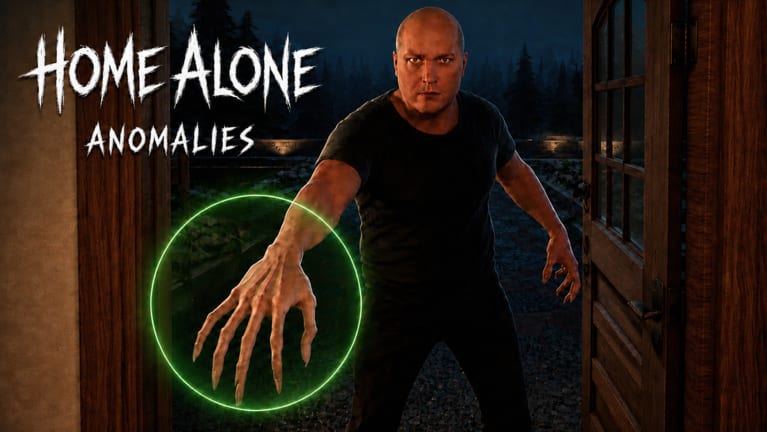
The laptop CCTV is the spine of Home Alone (Anomaly) on Roblox. Standard feeds show Firefighter smoke and Plumber leaks, but the hardest anomalies hide in night vision — distorted faces, alien silhouettes, giant scale, head snaps, and invisible bodies. Learning cam discipline separates players who reach 6 AM with Sanity intact from players who guess at the peephole and bleed points all night.
This guide covers camera locations, when to toggle night vision, visitor-specific tells, and rotation habits between knocks. Cross-read how to use CCTV, all anomalies, and house object checks for the full evidence stack.
Laptop CCTV basics
Interact with the laptop to cycle room feeds — door, interior bedrooms, kitchen, bath, backyard, and exterior angles depending on map layout. Night vision is a separate toggle on applicable feeds. It increases contrast on human shapes at the cost of visual noise, which some players misread as glitches.
Controls reminder: PC players use mouse clicks; console players after Update 2 should read mobile and console controls for switch bindings.
When to toggle night vision
Turn on night vision when:
- A knock mentions neighbours, lost children, agents, or sleepy visitors.
- Standard cam looks empty but audio persists (Homeless Man invisibility).
- You need height or scale reads (Guy Who Needs To Pee, Lost Girl).
- Face-to-glass stories appear (New Neighbour).
Turn it off when checking color-based house tells like City Maintenance brown water — night vision can wash color cues.
Visitor tells on camera
New Neighbour
Face pressed to screen under night vision at door/exterior feed = anomaly. Normal proportions = safe bias, still verify voice/outside.
Secret Agent
Human on standard cam, alien silhouette under night vision = anomaly.
Lost Girl
Normal child scale safe; giant figure on night vision = anomaly.
Guy Who Needs To Pee
Normal height safe; taller silhouette on night vision = anomaly.
Sleepy Woman
Normal posture safe; head snap forward on night vision = anomaly.
Homeless Man
Invisible on all cams but audible = anomaly. Visible body = safe bias.
Dumped Girl
Smiling stare into lens without natural idle = anomaly.
Ballerina
Dancing on cam during knock = anomaly.
Obby Player
Smashing mum’s car on exterior cam = anomaly.
Dog Owner
Owner on all fours barking = anomaly; dog in backyard = safe.
Wifi Kid
Watch for shutter glitch audio paired with cam static — see voice outside.
Peephole vs laptop
Door glass and peephole views overlap door cam but miss room context. Never admit on peephole alone when night vision door feed is available. Streamer tells need outside props — pair door cam with exterior for giant phone checks.
CCTV rotation template
Between knocks (~30–60 seconds typical):
- Door cam quick peek.
- Job-linked interior (oven, bath, sink).
- Backyard if audio suggests pets.
- Night vision pass on door + one suspicious interior.
- Porch light decision.
During chores, keep one eye on knock audio cues — sprint to laptop when footsteps spike.
Sanity and camera mistakes
Admitting on standard cam while night vision would reveal anomaly drains Sanity. Rejecting safe visitors because you skipped night vision does the same. If two channels disagree, favor the stronger glitch (invisibility, giant scale, alien NV) over politeness.
Next Door Neighbour caution: usually safe on cam, but wrongful reject triggers CCTV smash — weigh Sanity guide.
Goblin Stalker note
Interior jumpscares may flash on cam periphery. Goblin Stalker cannot harm you. Do not panic-close laptop; finish feed checks.
Practice with video + tool
This page includes a mid-article video walkthrough of anomaly cam tells. After watching, drill live with identify visitors and filter practice on anomaly identifier.
Related sibling pages
- House checks — object-first tells.
- Voice and outside — audio and vehicle layer.
- Vampire and Goblin — always reject and ignore rules.
- Anomalies hub — section home.
Frequently Asked Questions
Quick answers for surviving the night in Home Alone (Anomaly).
How do I turn on night vision in Home Alone (Anomaly)?
Open the laptop CCTV, select a compatible feed, and toggle night vision on that camera view before inspecting the door or rooms.
Which anomalies require night vision?
New Neighbour, Secret Agent, Lost Girl, Guy Who Needs To Pee, and Sleepy Woman are common night vision checks.
Can Homeless Man appear on camera?
Safe versions show on CCTV. Anomaly Homeless Man is invisible on cameras while still audible at the door.
Should I check cameras during chores?
Yes. Rotate to the laptop when knock audio starts, even if chores are mid-task.
Does night vision help Firefighter tells?
Firefighter relies on oven smoke on standard cam. Use night vision for human-shape anomalies instead.